Start with the vessel
Create a profile, copy a sister vessel or reuse PLANMASTER data. Build the bay layout, then add the vessel data needed for deeper analysis.

PLANMASTER CIRRUS 2.0
From the first bay plan to the full vessel condition. Bring profiles, cargo and AI-assisted planning into a visual workspace.
In your browser. On your Windows desktop.
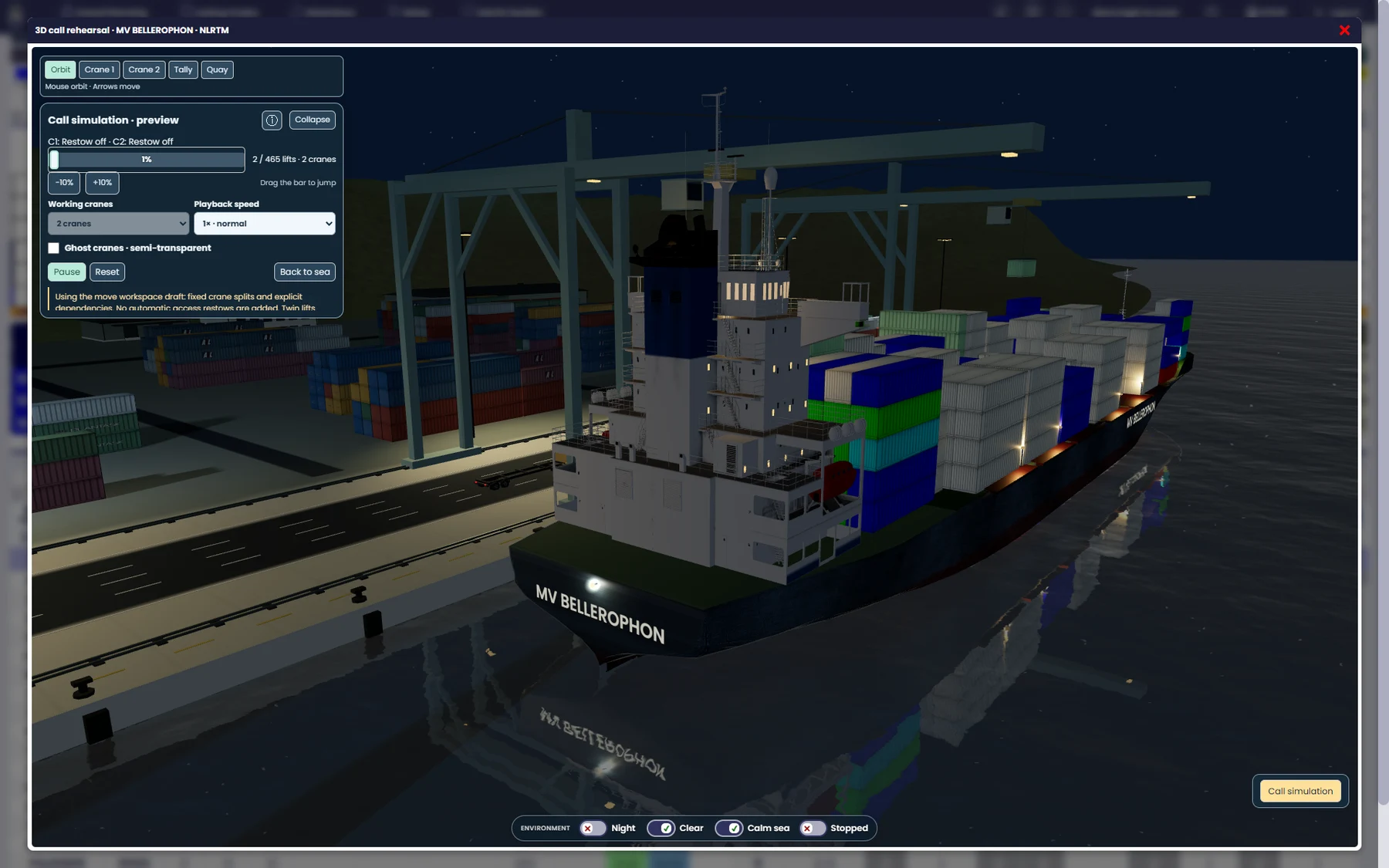 PMCirrus / 3D call rehearsal
MORE INTELLIGENCE IN EVERY PLAN
Plan, visualise, analyse and rehearse.
Keep your experience at the centre of the process.
Create a profile, copy a sister vessel or reuse PLANMASTER data. Build the bay layout, then add the vessel data needed for deeper analysis.
Use A.I.P. 4 to explore a proposed stow and ballast plan. Review the result and retain a backup version before applying it.
Review stability and stress alongside visualisations of the vessel. Connect the cargo plan with the full vessel condition.
Work with BAPLIE, MOVINS, COPRAR and IFTDGN, plus CSV and PML, to bring planning information into the same workflow.
THE PRODUCT, IN VIEW
Explore real screens from PMCirrus.
Select a workspace to take a closer look.
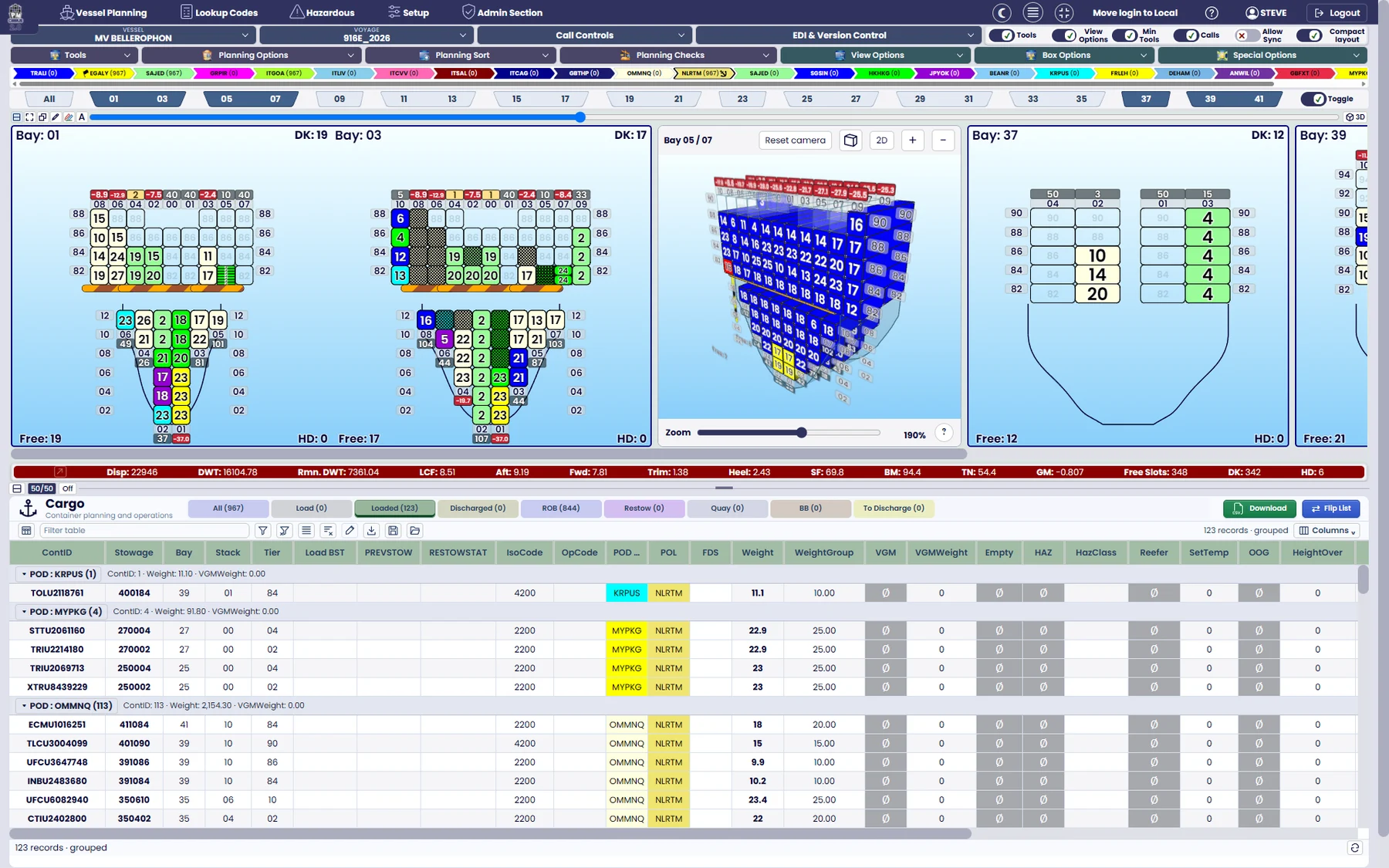
Connected 2D bay plans, 3D stowage and the cargo list in one workspace.
PMCirrus · Product screenshotCONNECTED CARGO. INFORMED DECISIONS.
Save named versions at key planning milestones. Inspect their cargo and restore a selected version as the working plan, so you can explore a different approach with a clear starting point.
Keep hazardous-goods details, vessel restrictions, warnings and reporting connected to the cargo. Move between 2D and 3D views to see your plan from the perspective you need.
Explore the PMCirrus websiteLET’S MOVE FORWARD
Let’s find the right software for your people,
your workflows and your next chapter.